
Vanderbilt: setting and unsetting the alarm from the keypad
18 July 2026 · updated 28 September 2026 · Theo
FRLire cette fiche en françaisDay to day, the Vanderbilt panel is operated from an LCD keypad. Every operation starts with entering a user code, followed by a function key. The keypad shown in this guide is set to French: its screen messages are quoted as they appear in French, with their meaning.
This guide covers setting (arming), unsetting (disarming), how the exit and entry timers work, and what to do to acknowledge an alarm that went off.
- Set: enter the code → the screen shows
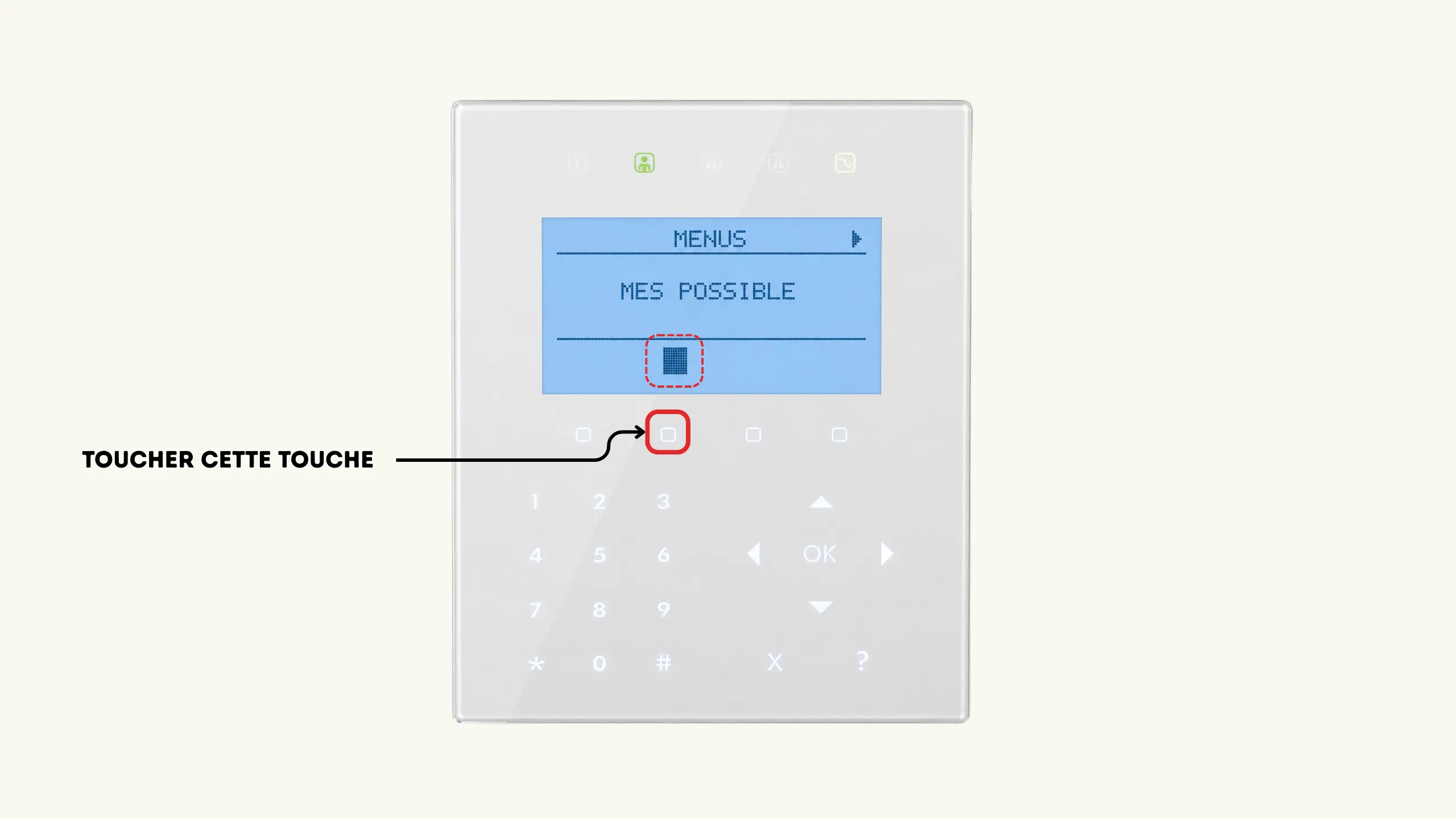
MES POSSIBLE(setting possible) → press the key under the solid square → the exit timer starts. - Unset: on entry, beeps signal the running timer → enter the code before the countdown ends.
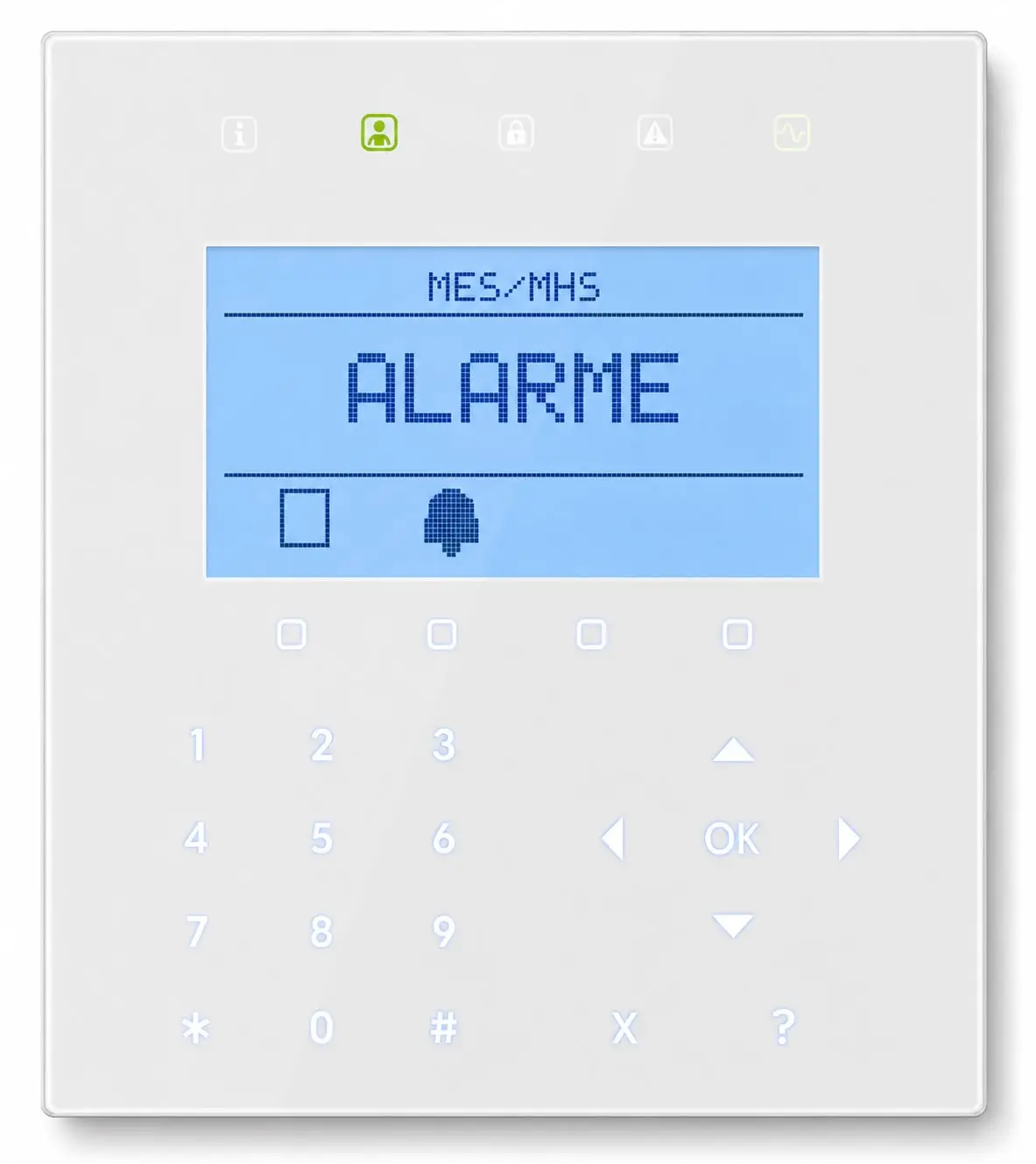
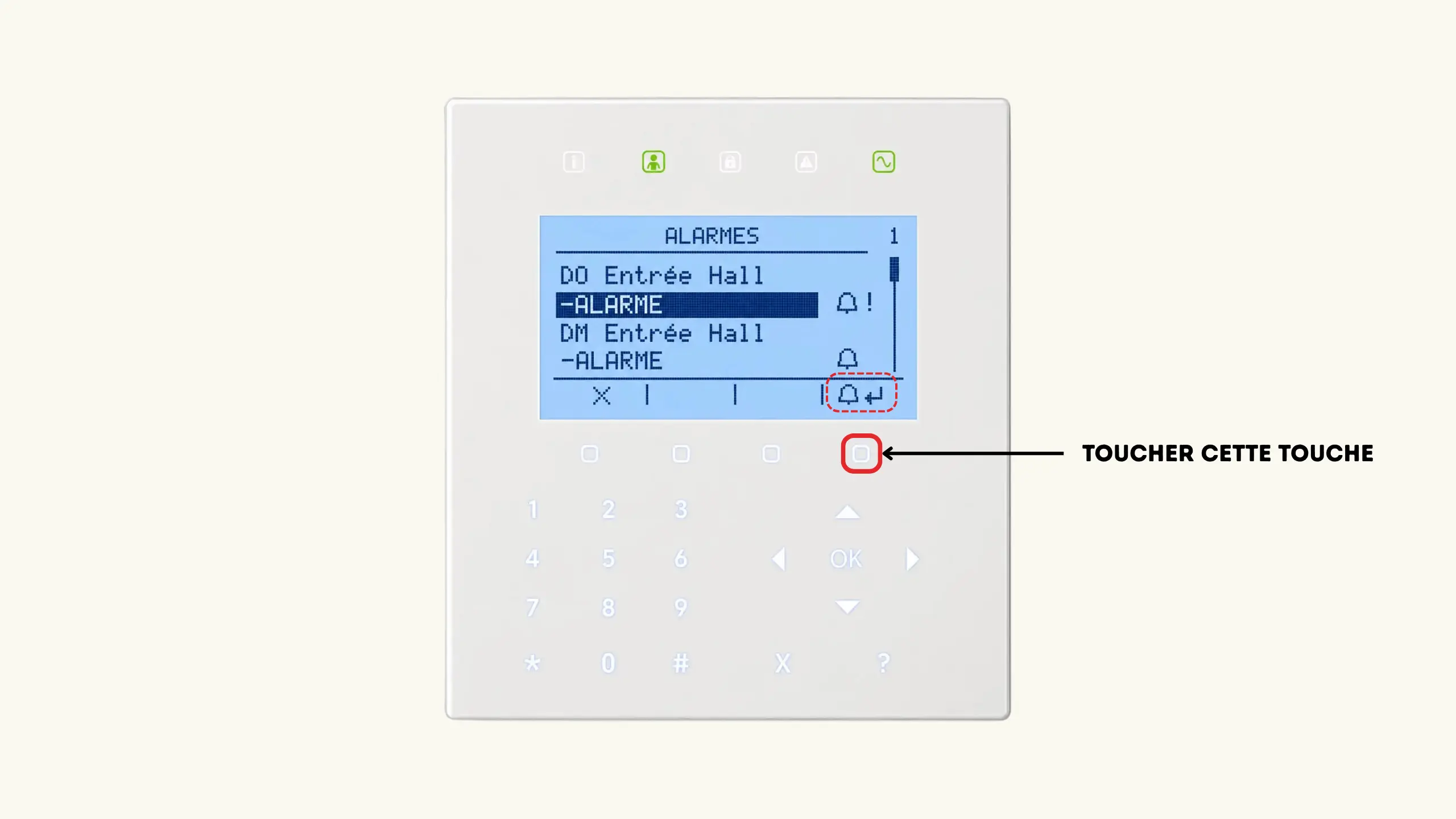
- Alarm triggered: enter the code to stop the alarm, then the “bell” key to see the detectors involved, then the “bell + down arrow” key (far right) to acknowledge.
Setting the alarm
Setting puts the panel into service: from that moment, opening a supervised zone triggers the alarm.
An exit timer leaves time to leave the protected area before supervision actually becomes active.Type the user code on the keypad (for example 1234).
The screen then shows MES POSSIBLE (setting possible), meaning that setting is allowed.
Click to enlarge
A solid black square appears on the screen above a function key.
Press the key directly below that square to set the panel.
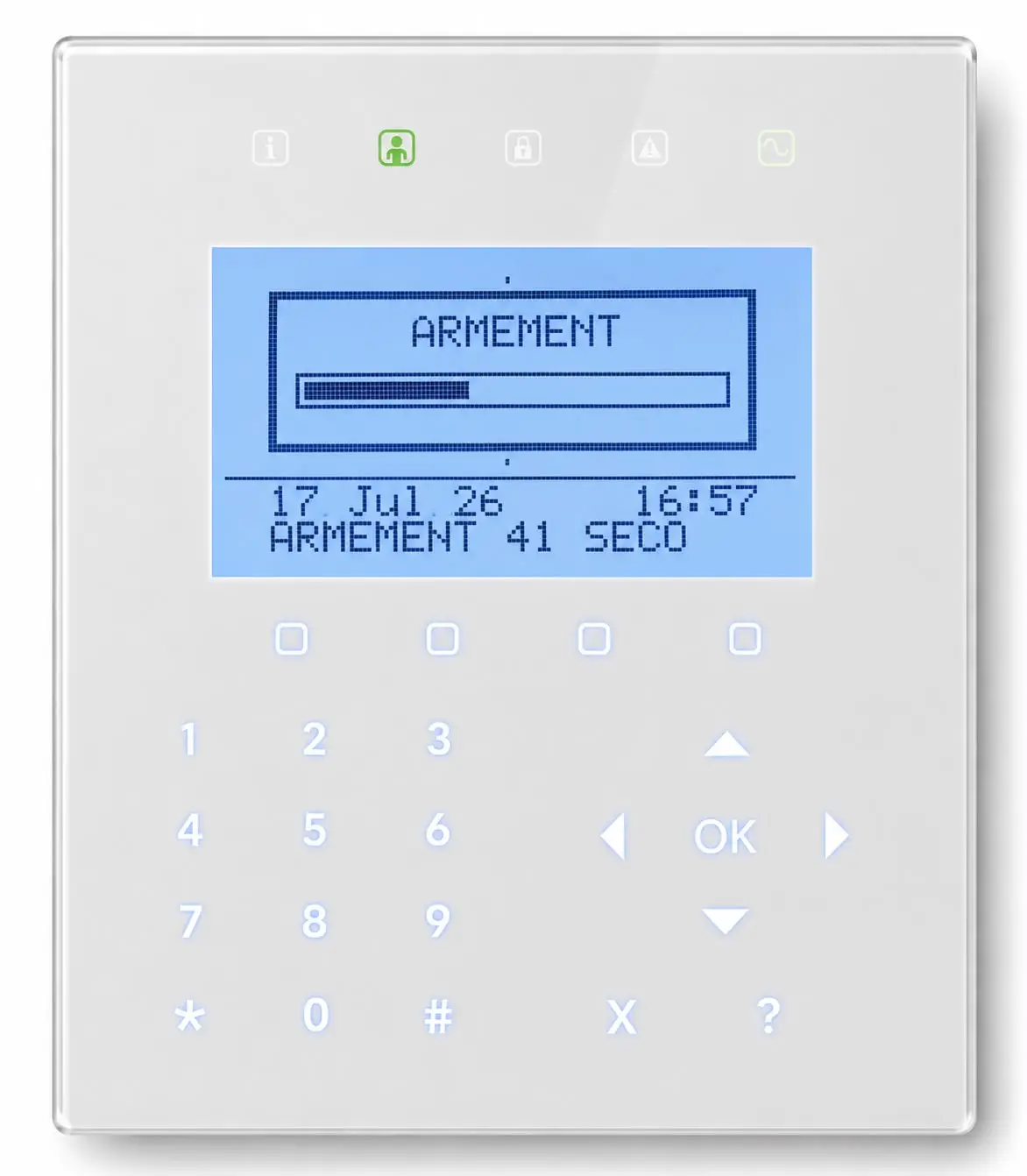
A countdown starts, with a buzzer. It is the exit time: leave the protected area before the countdown ends.
When the timer runs out, the panel is set.
Click to enlarge
Close the zone, then set again.
Unsetting the alarm
Unsetting takes the panel out of service and stops supervision.
When entering the protected area, an entry timer leaves time to reach the keypad and enter the code before anything triggers.
You then have to follow the acknowledgement procedure below.
When the alarm has gone off
When an alarm has gone off, first enter your code to stop it (sirens and strobes), then follow the on-screen indications to see where the alarm came from and acknowledge it.
Enter the user code on the keypad: this stops the alarm (sirens and strobes).
The keypad then shows the alarm state.
Click to enlarge
DO Entrée Hall, a door contact on the entrance hall).Press the “bell with a down arrow” key, the key at the far right of the keypad.
Press it once per alert shown: if 4 detectors triggered, press 4 times.
Once every alert has been acknowledged, the keypad goes back to the usual home screen.
Click to enlarge
As long as the fault persists, the alert comes back on the screen.
Points to watch
The panel refuses to set if a tamper is active or if certain faults are present (siren fuse, siren tamper).
On a Grade 3 installation, an installer code may be needed to override this block.
Acknowledgement clears the alert once things are back to normal; it does not replace unsetting.
An alert is only visible on the keypad when the panel is unset.
MES POSSIBLE when setting is allowed.