
Adding a Vanderbilt panel to Acre Intrusion Connect
5 July 2026 · updated 29 October 2026 · Theo
FRLire cette fiche en françaisThe Acre Intrusion Connect app lets you control a Vanderbilt SPC panel straight from your phone.
Before you start, three pieces of information are needed: the panel's registration ID, the user name configured on the panel and the PIN code associated with it.
All three are found in the installer web portal, logged in as engineer.
- Download Acre Intrusion Connect on iOS or Android and create an account.
- In the app settings, open the panels entry, then tap +.
- Enter the registration ID (without the dashes), the site name, and the panel's user name and password.
- The registration ID is shown in the installer web portal, under
FlexC, transmission system (ATS), on theSPC Connectline.
The screenshots in this guide come from the French version of the app: on-screen labels read differently in English.
Download the app
Acre Intrusion Connect is available free of charge on the App Store and on Google Play.
Create an account
When first launched, the app offers to create an account. Follow the on-screen steps: email address, password and confirmation.
This account belongs to the app user. Do not confuse it with the user name and PIN code configured on the panel, which are used a little further on to link the site.
Open the settings
Once logged in, open the menu with the three bars at the top left of the screen, then tap the gear icon to enter the settings.
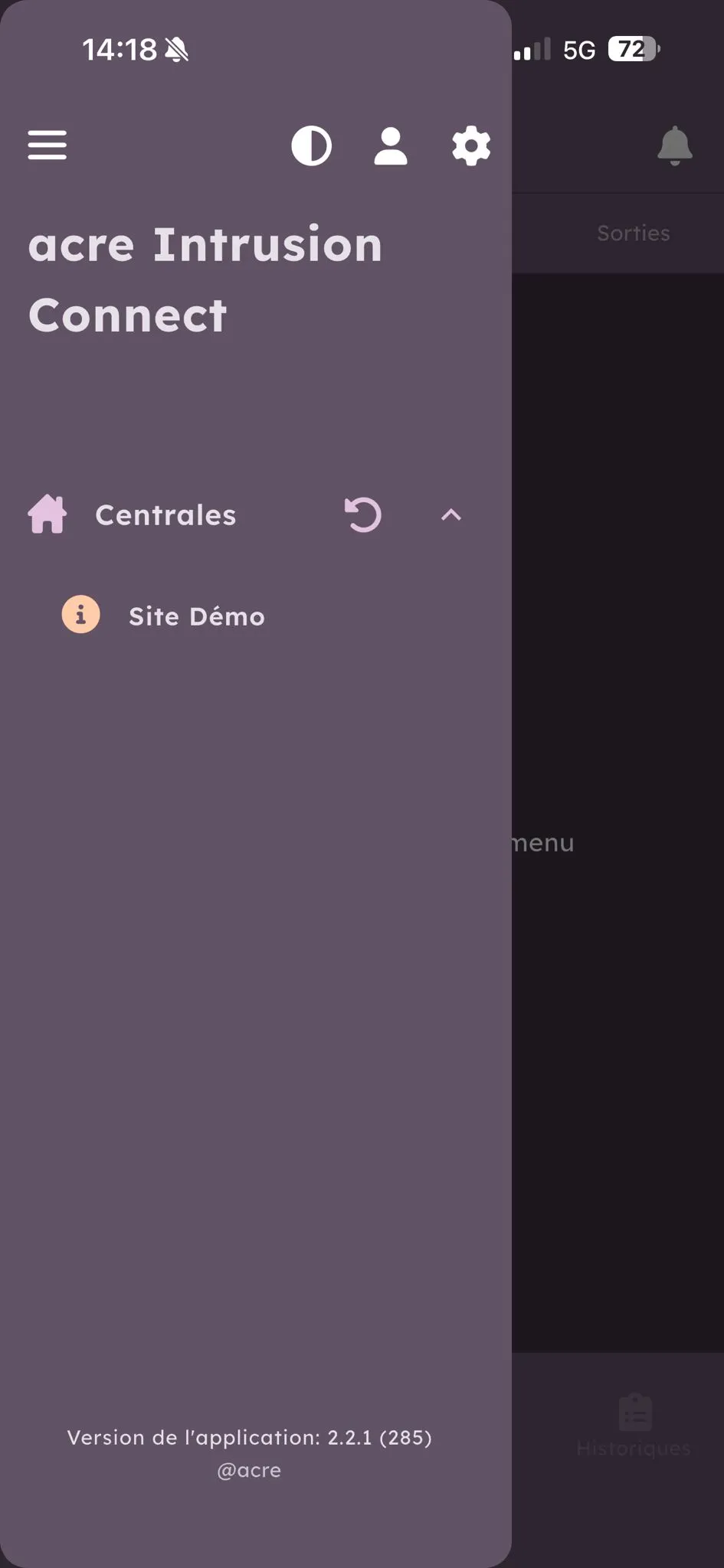
Click to enlarge
In the settings, select the panels entry (Centrales in the French version shown here).
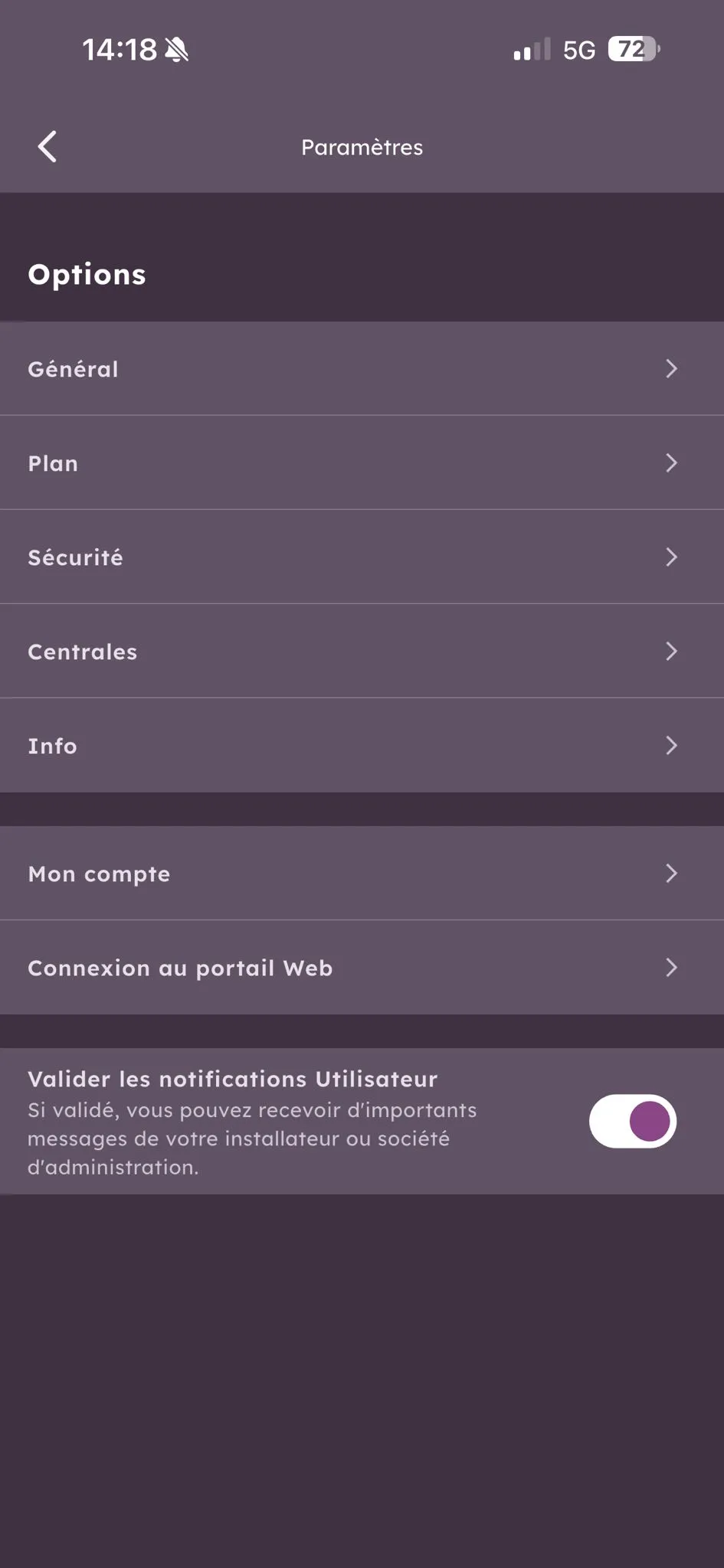
Click to enlarge
The page that opens lists the panels already linked to the account. It is empty the first time you add one.
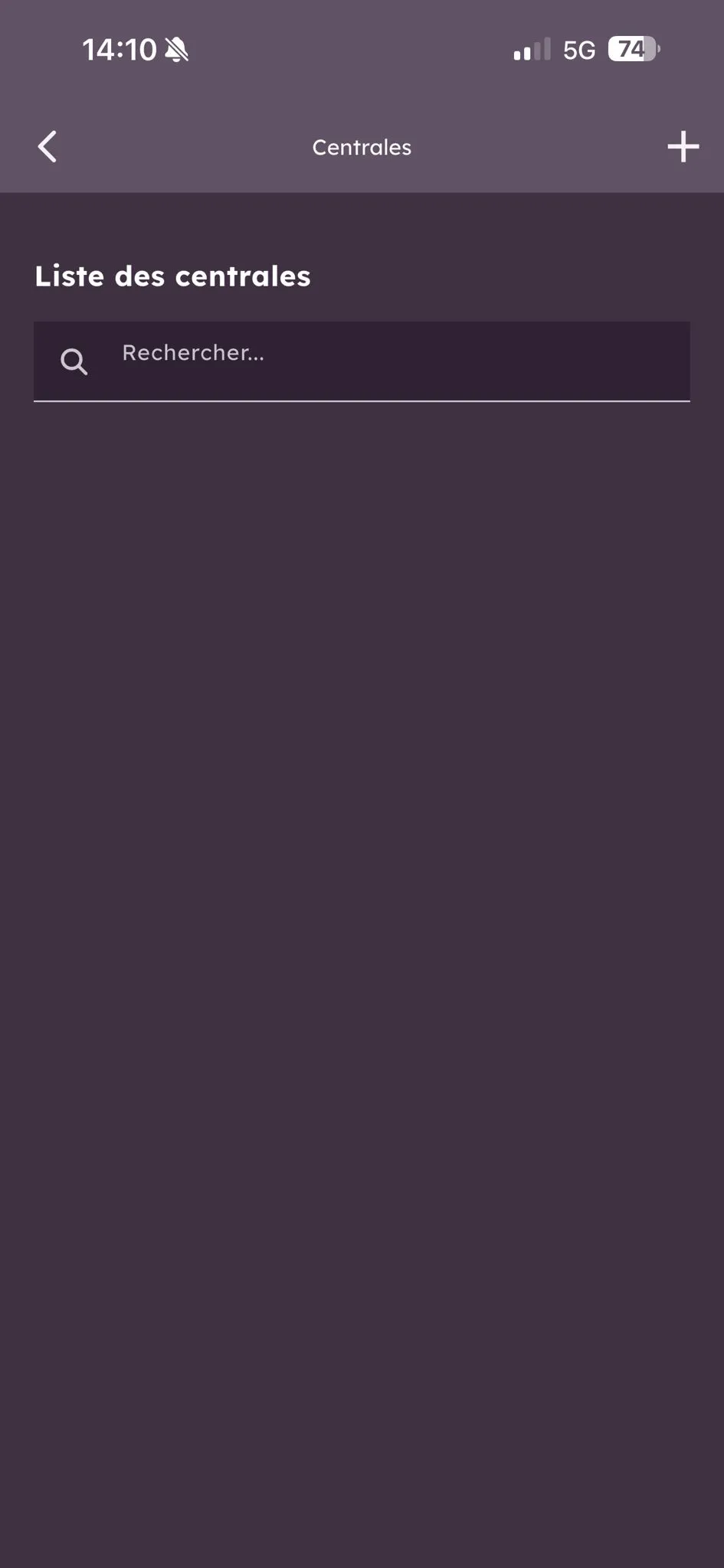
Click to enlarge
Add the panel
Tapping the + button brings up the add form. Four fields must be filled in.
| Field | Value to enter |
|---|---|
| Registration ID | Number provided by the panel, without the dashes |
| Site name | Free text, then shown in the app menu |
| User name | User configured on the panel |
| Password | PIN code associated with this user on the panel |
The registration ID is found in the installer web portal, logged in as engineer.
The path is as follows: Communications menu, then FlexC, then the transmission systems (ATS).
The SPC Connect line shows the registration ID of the ATS.
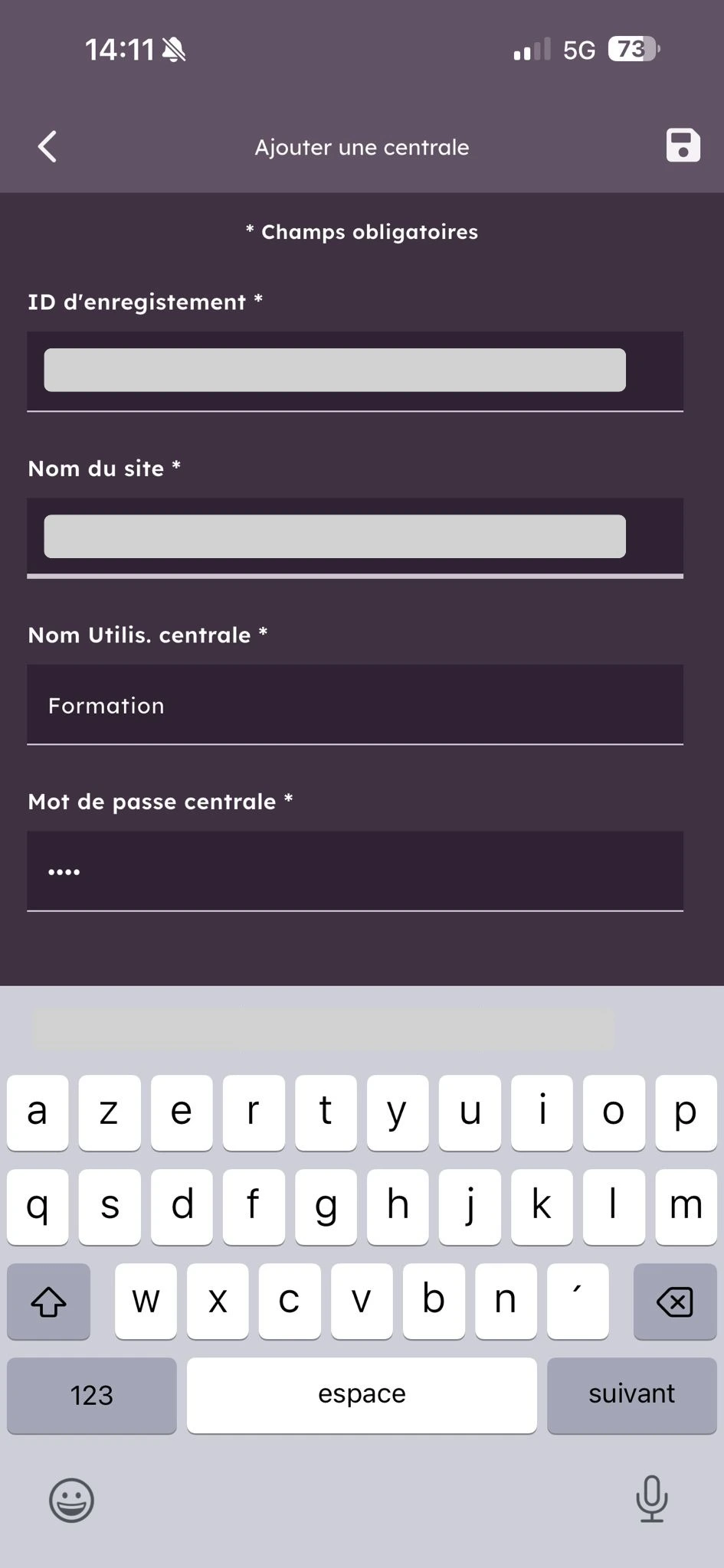
Click to enlarge
Once the four fields are filled in, confirm with the save icon at the top right of the screen. The site then appears in the list of panels.
Set and unset the site
To reach the site day to day, open the menu with the three bars at the top left, then tap the name of the site created in the previous step.
The site screen gives access to setting, unsetting, and viewing zones, doors and outputs.
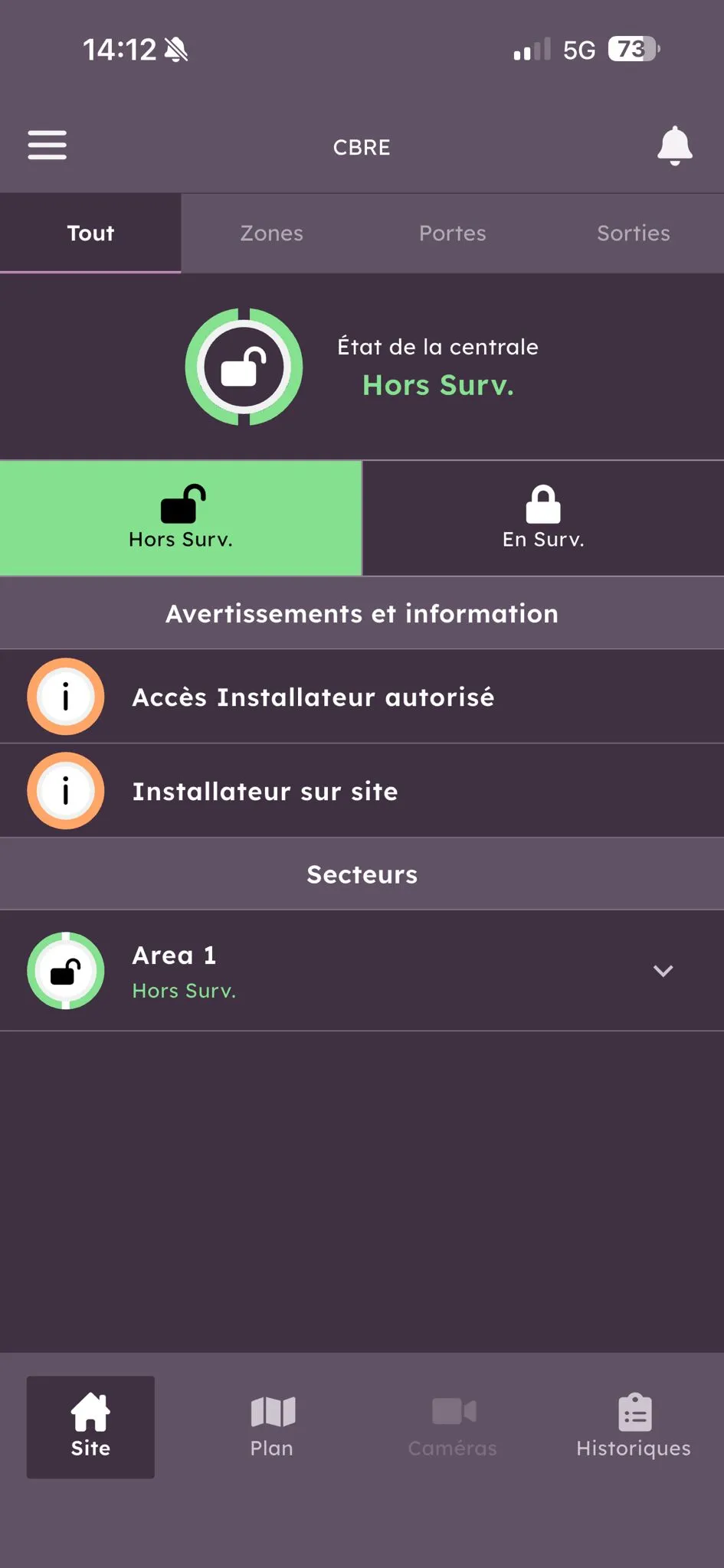
Click to enlarge
Common pitfalls
Remove them before pasting the number.
A simple user account on the portal does not give access to it.